

AI-supported invoice processing relieves finance teams and creates structured workflows in Business Central.




Summary:
AI-powered agents like the Expense Agent are fundamentally changing expense processes. Instead of a downstream, manual reimbursement process, there is an end-to-end process that starts as soon as the receipt is received. Traditional workflows are fragmented and involve many handoffs that take time and increase the likelihood of errors. AI, on the other hand, recognizes receipts early, automatically structures information, and continuously combines it into complete expense reports. The result is less administrative effort, better data quality, and a more stable overall process. Especially in organizations with a high volume of receipts, this creates clear added value: less operational burden, greater transparency, and a reliable basis for financial management.
At first glance, expenses seem straightforward. A taxi ride, a hotel night, a business dinner, a parking ticket: each receipt is easy to explain on its own. But taken together, they create a process that binds an astonishing amount of attention. Employees collect receipts, submit them later, add details, assign cost centers, and wait for approvals. Finance reviews, corrects, follows up, and ensures that everything ends up correctly in the system.
The problem is rarely the individual receipt. The problem is the number of handoffs: between email, photo, calendar, expense report, approval, and ERP. The Expense Agent starts earlier than traditional expense processes.
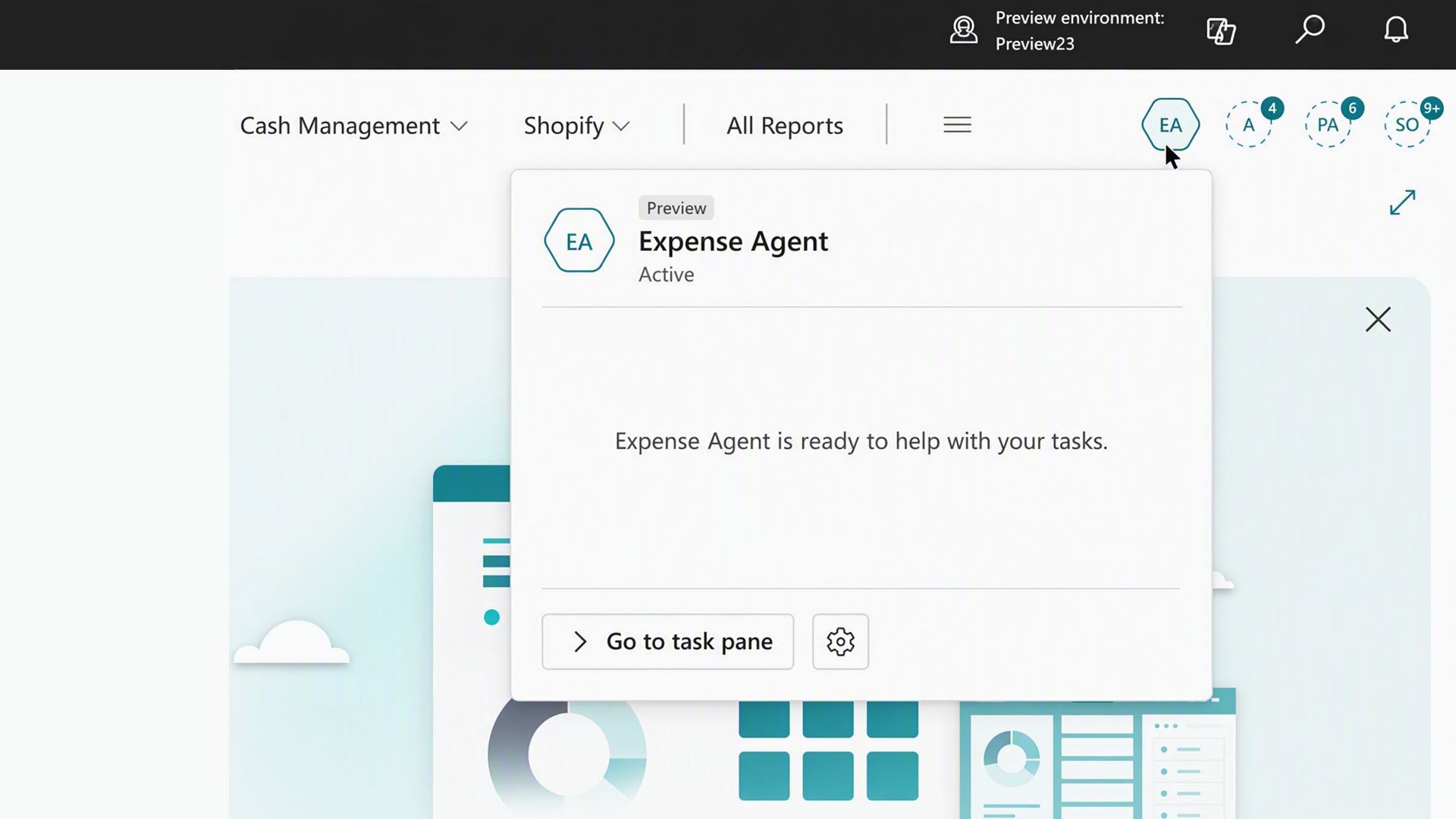
The Microsoft Expense Agent is especially suitable for companies that handle a large number of expense and travel expense reports and want to make expense capture, review, and reimbursement more efficient with less manual effort. It does not wait until someone painstakingly gathers receipts at the end of the month. Instead, it automatically recognizes incoming receipts, extracts the relevant information, and creates prepared expense items from them.
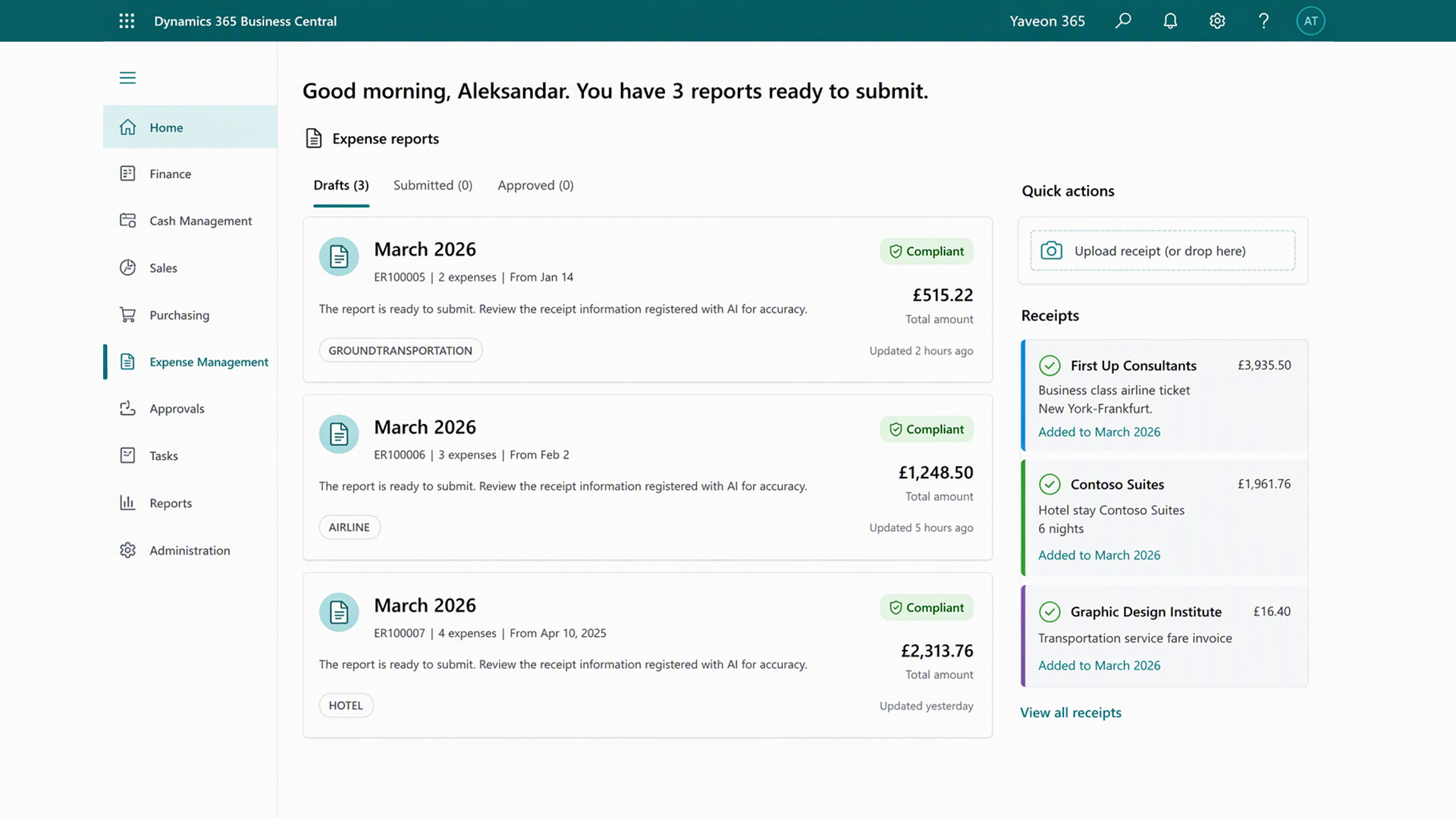
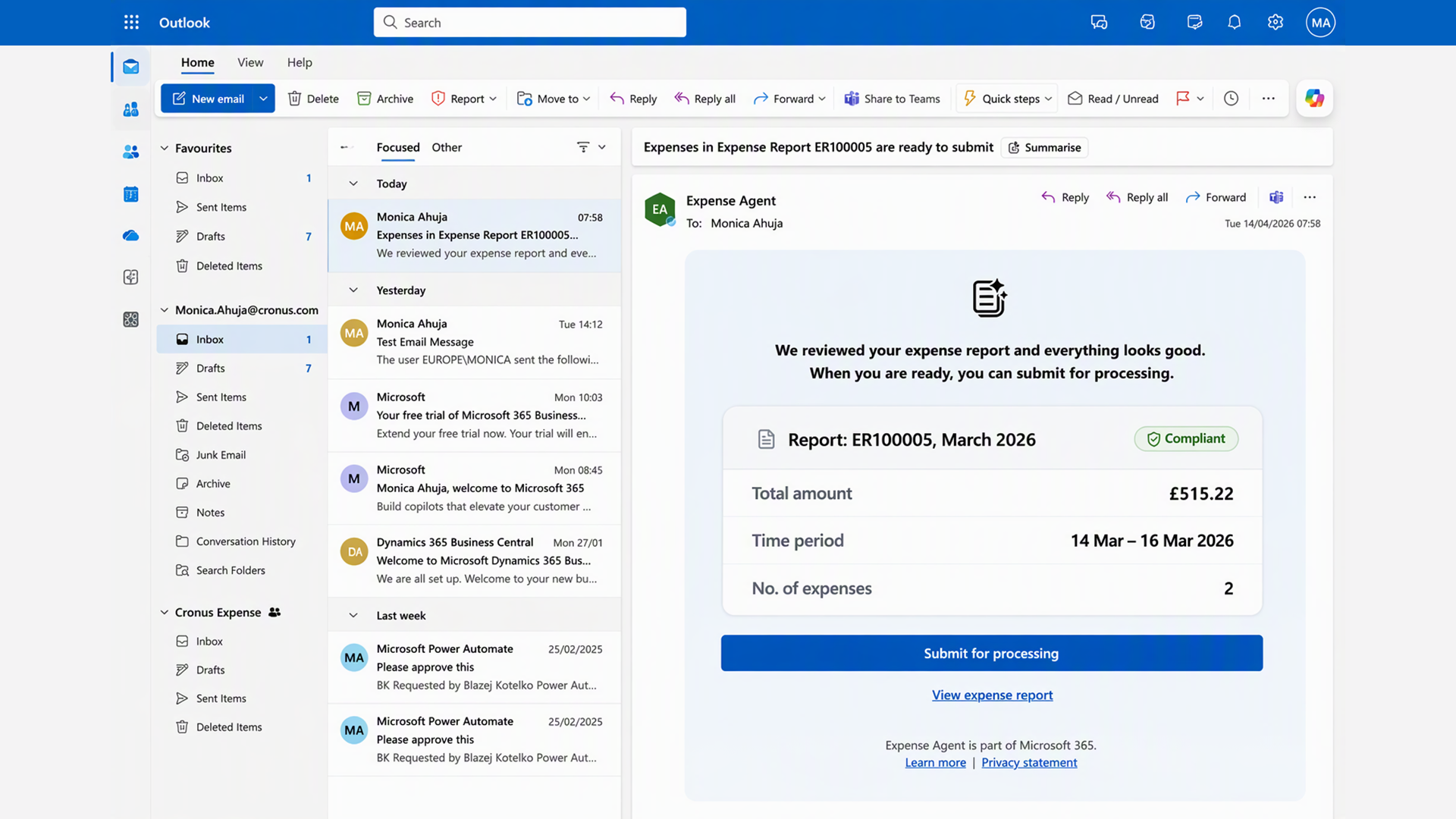
This turns individual receipts into structured data first. Structured data then becomes expense reports. And a process that is otherwise often tedious manual follow-up becomes an automated workflow that runs continuously in the background.
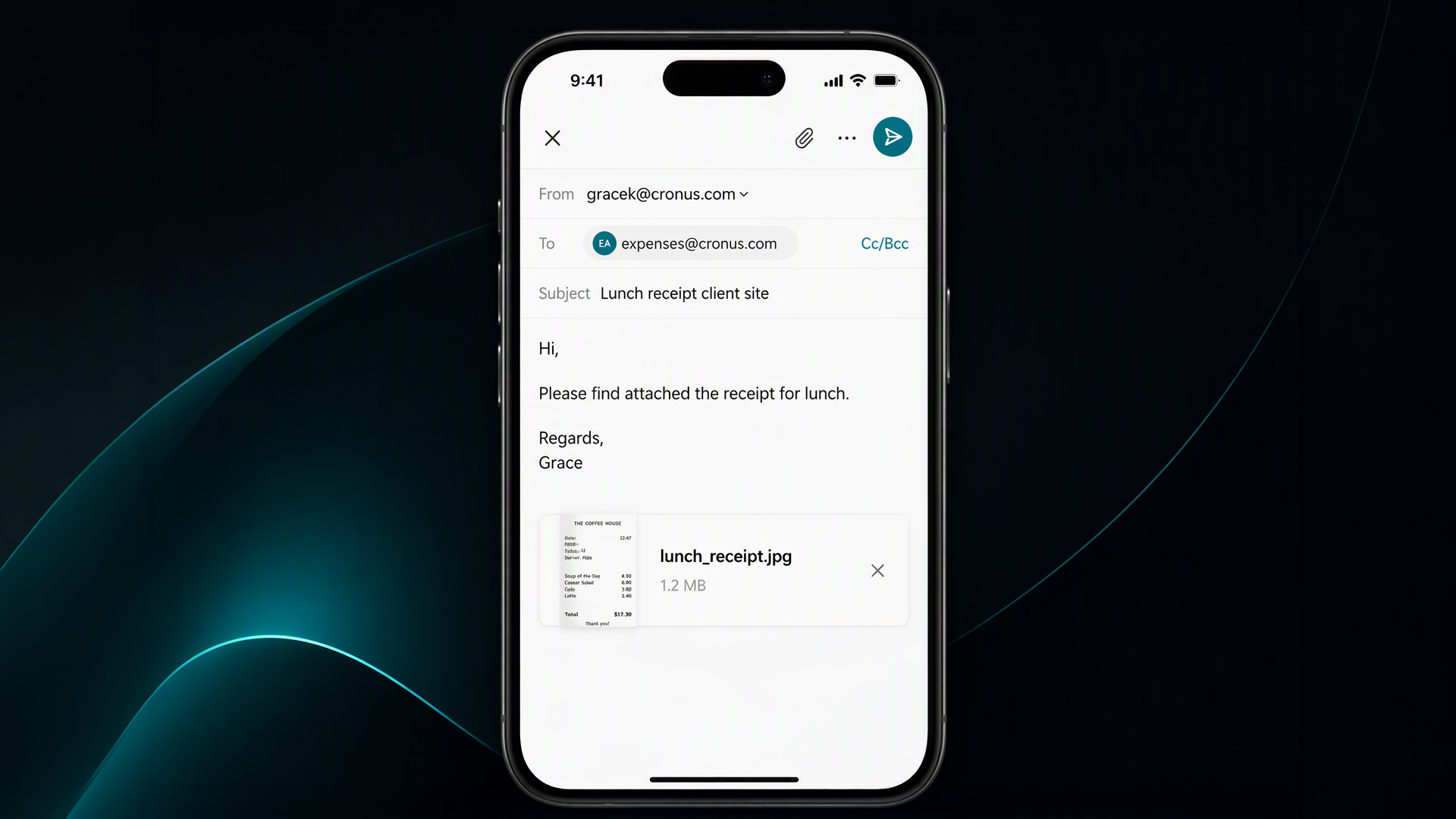
Especially practical: integration into familiar work environments such as Microsoft Teams. Approvals and follow-up questions happen where you already work. This reduces friction and ensures that expenses do not become a separate administrative project. You do not even have to work in Business Central, because receipts can also be submitted from outside.
To use the Expense Agent, your company needs a Business Central license. Access can then be controlled at user level: This allows you to specify which people may see and use the agent. In this way, use remains controlled, role-based, and aligned with your internal accounts payable processes.
For employees, the AI Expense Agent means noticeable relief:
This creates another benefit for finance teams:
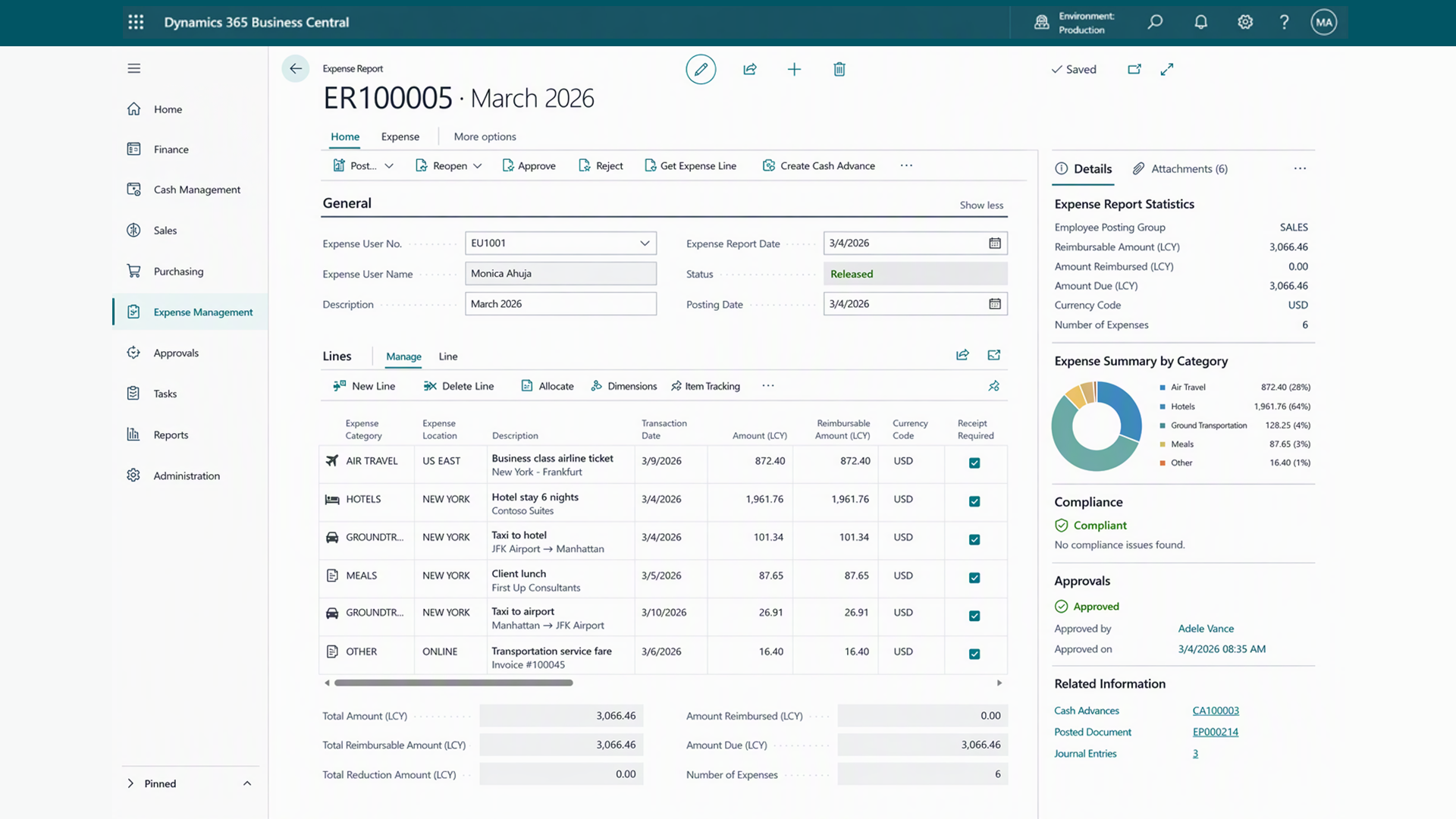
This reduces follow-up questions and improves the quality of information in the system. This is especially relevant in project-oriented organizations, because expenses there are not just costs, but a fixed part of projects. The faster and more accurately they are recorded, the better you can assess costs, budgets, and margins.
If expense processes do not run smoothly, everyone involved has to deal with them a little – and that is exactly what makes these processes so expensive. The Microsoft Expense Agent reduces this distributed burden by recognizing receipts early, structuring information, and preparing the process through to billing.
This makes AI the connecting element between systems and work steps. For employees, that means less effort. For Finance, it means more reliability. And for the company, it creates a process that grows with it instead of holding it back.
Would you like to know whether the Expense Agent can help your team process expenses? Let us take a look together at how AI makes the capture, review, and billing of expenses more efficient and reduces manual effort in Business Central.
 Microsoft Payables Agent – Beitrag öffnen
AI-supported invoice processing relieves finance teams and creates structured workflows in Business Central.
 Microsoft Sales Order Agent – Beitrag öffnen
AI in sales: How the Sales Order Agent structures inquiries and prepares quotations in Business Central.
 What is electronic invoicing? – Beitrag öffnen
An e-invoice is an invoice issued in digital form. Who has to issue it, and since when has it been mandatory?