AI in ERP for process manufacturers: Ensure quality, simplify routine work. Register for the Webinar now!
yaveon favicon bildmarke
Icon weiße Lupe

Manage by-products with ease

Increase efficiency and precision: With Yaveon 365 Joint Production, you can manage main products and byproducts in a single process.

Simplified execution: optimized, faster processes

Clear overview: transparent and fair cost allocation

Secure archiving: reliable, traceable data storage

Person am Laptop, digitale Diagramme und Dokumente erscheinen.

More than 1000 companies worldwide rely on Yaveon

HOSTA GmbH & Co. KG logo
Kundenlogo Midas Pharma GmbH
Kundenlogo Sanity Group GmbH
Kundenlogo DR.SCHNELL GmbH & Co. KGaA
Kundenlogo frei öl
Kundenlogo RAVENOL

How joint production simplifies handling by-products.

Fewer processing errors

By implementing real-time optimizations, the app helps you avoid rework. You can also specify the resulting products during recipe creation.

Intuitive operation

Our Yaveon 365 Joint-Production app for joint production simplifies handling even the most complex production units and promotes efficient workflow operations.

Less complexity

Advanced manufacturing specifications and work plans with joint production make multi-level processing especially straightforward.

Perfect costing

Use industry-standard methods, such as residual value and market value approaches, to accurately calculate cost prices—essential for your contribution margin accounting.

Keep by-products under control with full integration.

Manage primary products and by-products in Microsoft Business Central with Yaveon 365 Joint-Production and expand capabilities with Yaveon Apps. Ensure traceability, increase production efficiency and transparency, and secure unbeatable competitive advantages.

Key features with joint production in Microsoft Business Central

Costing
Costs
Manufacturing instructions
Inheritance 
Production orders
Methods

Accurately record production costs

Keep track of the production costs of your main products and byproducts. Precise calculations are the foundation for informed pricing decisions.

Basis for accurate cost allocation

Foundation for accurate contribution margin calculation

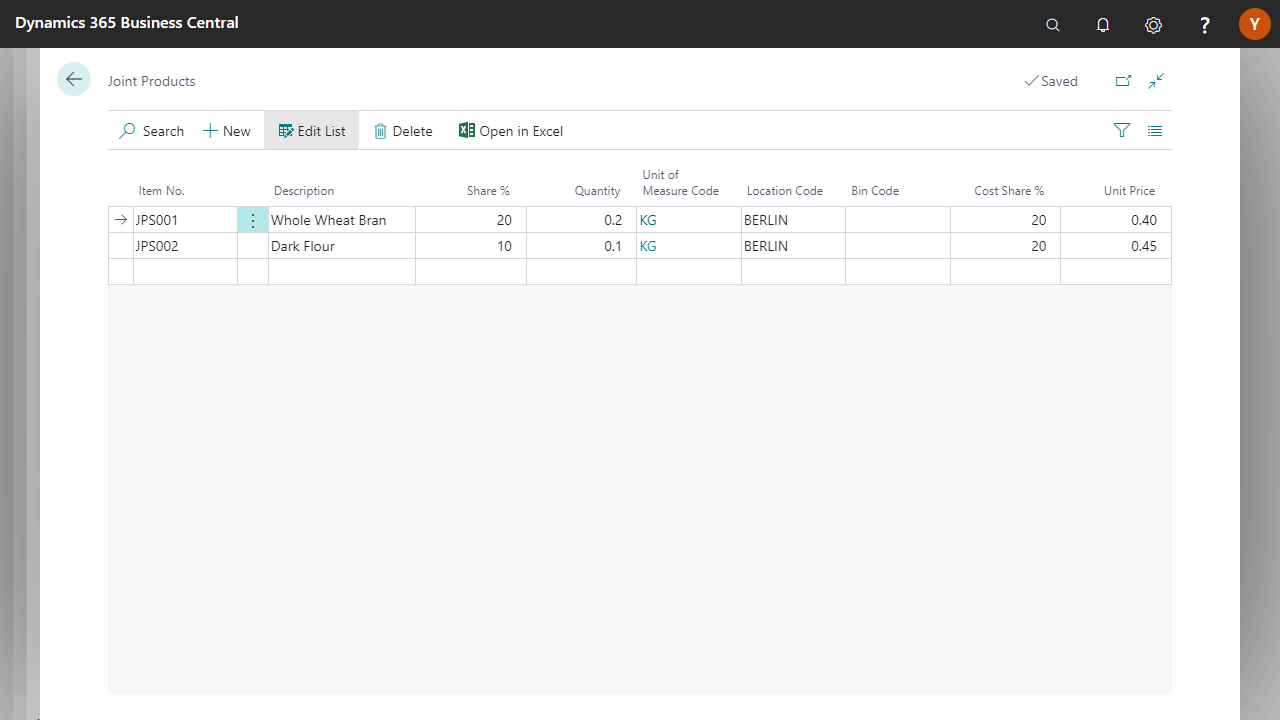
Calculation of the cost price

Cost allocation for main and joint product

Dynamics 365 screen showing joint products list with items and details.

Distribute costs fairly

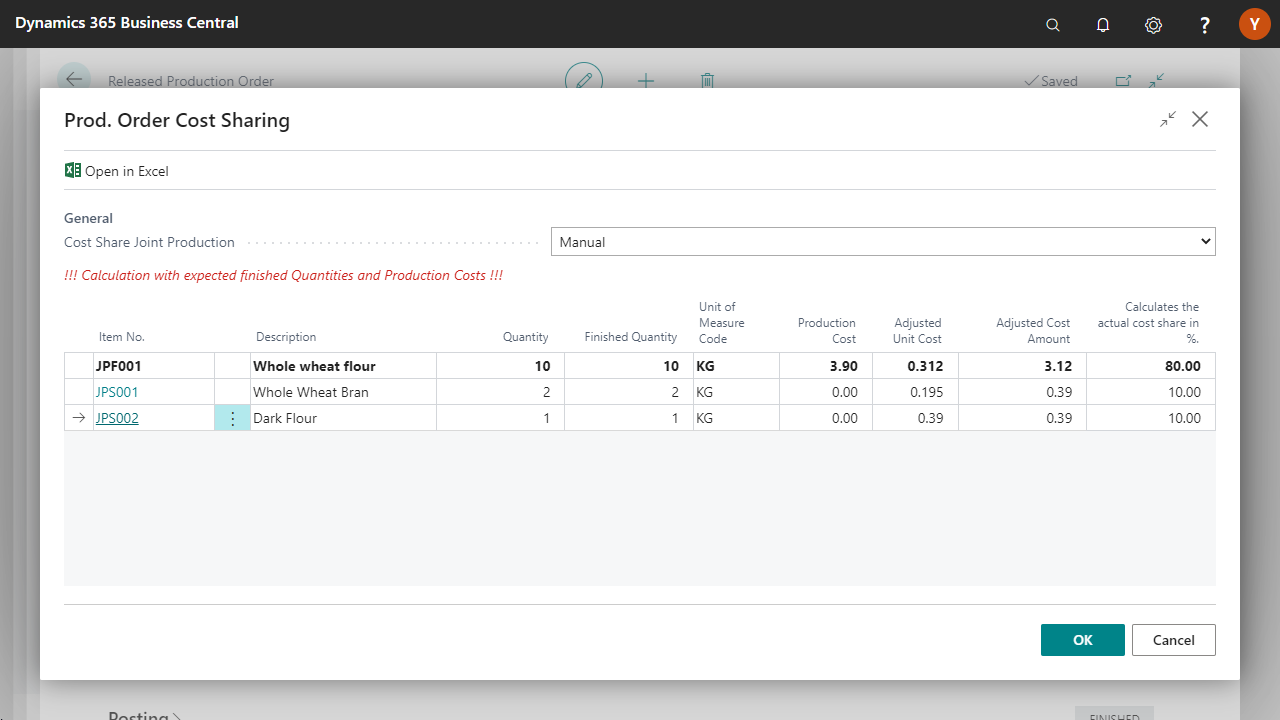
Allocate your costs realistically and transparently across all products. The result is fair and meaningful cost assessments.

Equivalent (Extended Quantity Actual Report)

Posting factor (actual quantity confirmation)

market value

Residual value (market value) & residual value (actual quantity report)

Dynamics 365 screen showing cost sharing for production order.

Create clear processes

Define precise requirements for your production to ensure consistently high quality and maintain clean processes.

Store byproducts in the master data

Assignment of byproducts

Scale up component consumption

Cost allocation

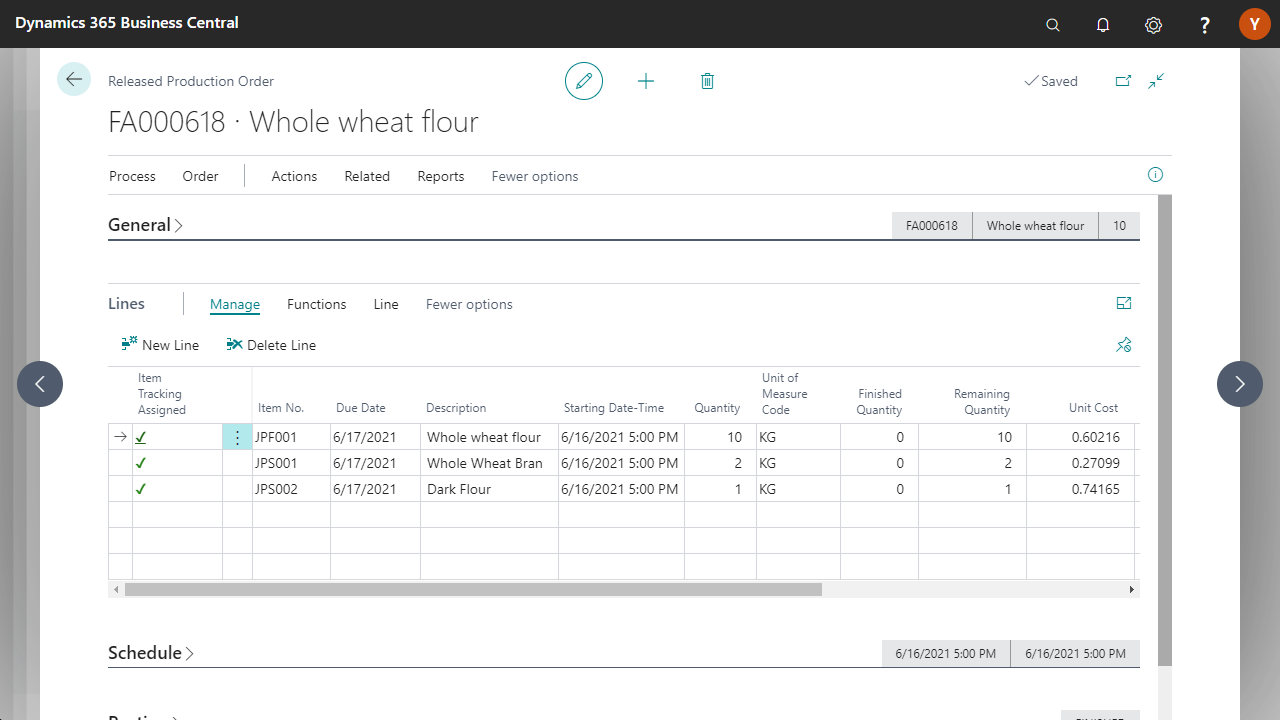
Dynamics 365 production order for whole wheat flour.

Inherit production data

Enable automatic, reliable adoption of batches and features, and ensure traceability at the press of a button.

Inheritance of information to produced items

Setting up a standard evaluation for byproducts in joint production

Setting up a standard evaluation for produced items

Activation possible for each byproduct

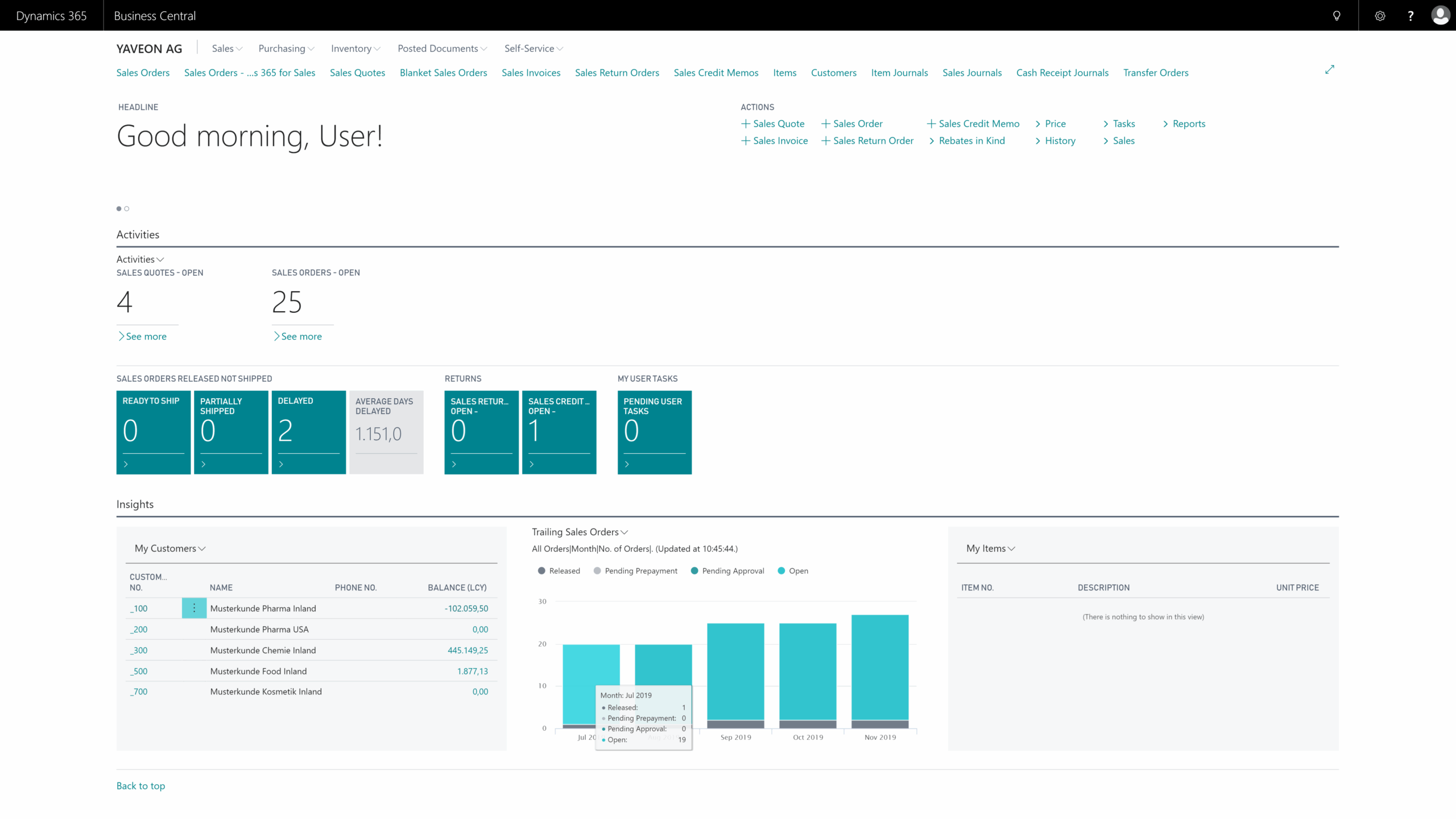
Dynamics 365 Business Central dashboard overview.

Manage production orders efficiently

Manage your main and byproducts in a single order. This saves time and keeps the organization clear.

Calculate components, work plans, and byproducts

Recalculation of resulting byproducts

Record consumption and capacities

Cost allocation according to the cost allocation method

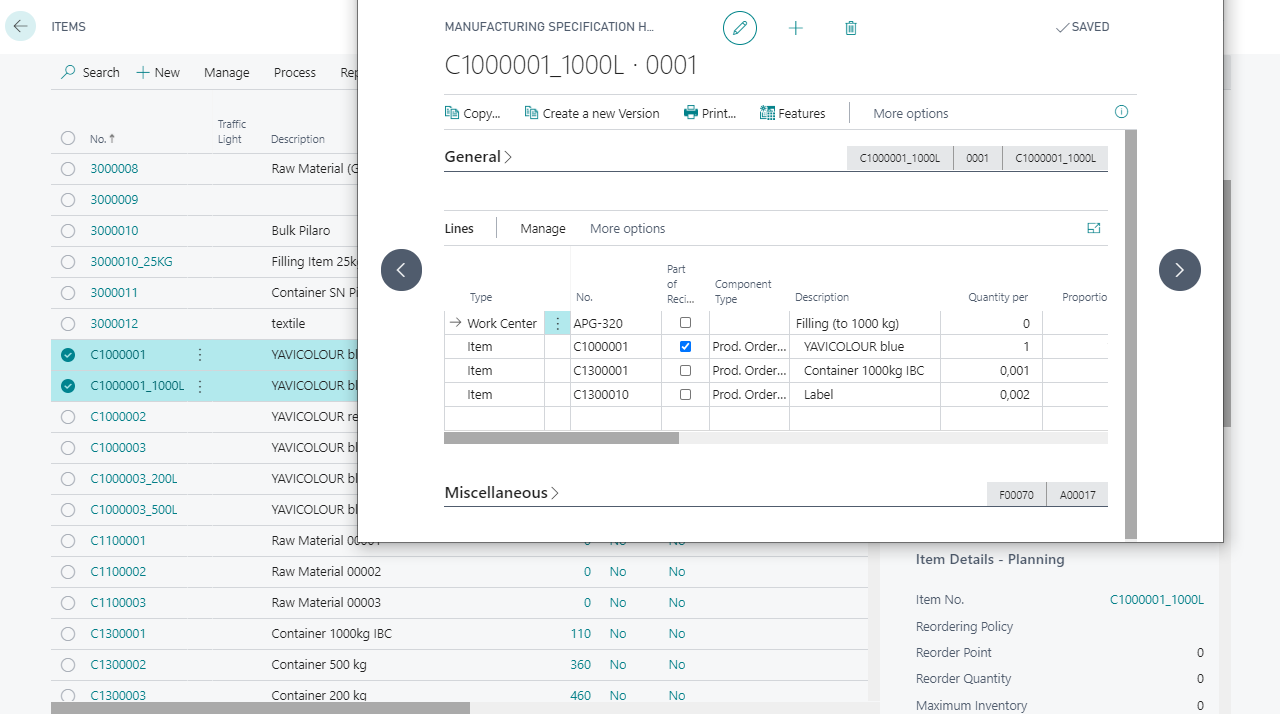
Manufacturing specification screen with item details in software interface.

Distribute costs methodically

Choose the method that best suits your processes for clear and verifiable calculations.

Equivalence method

Booking factor method

Market value method

Residual value method

Dynamics 365 Business Central dashboard overview.
Mockup of Yaveon Papers

Joint production & more: Yaveon ERP for the process manufacturing industry

From recipe management to batch management, costing, and quality control: Discover in our brochure the essential components your industry truly needs. Seamlessly integrated into Business Central and the Microsoft ecosystem, enhance your competitive edge and establish a foundation for growth.
Icon Yaveon Favicon
Quote Icon
We are pleased to have found in Yaveon a convincing partner at eye level who speaks our language.
– Alexander Böhler, Schulz Farben & Lacke
Quote Icon
Yaveon was already the best partner I could have imagined in my very first ERP project.
– Shami Kaur Bola, evident ingredients
Quote Icon
We now have much better visibility of inventory levels, open purchase orders, and sales orders than before.
– Torsten Seck, AQUANOVA AG
Quote Icon
You can truly say that the ERP system is very good. We are very satisfied.
– Kevin Urbaum, Sanity Group
Quote Icon
When it comes to ERP implementation, consulting, and support, only praise. There was nothing at all to complain about.
– Andreas Schonert, CTL Europe
Quote Icon
From the very first moment, it was clear that the consultants at Yaveon know validation inside and out.
– Petra Duchrau, Sirio Pharma Germany

Frequently asked questions about Yaveon 365 joint production:

How is Yaveon 365 Joint-Production installed?

Installing Yaveon 365 Joint-Production is straightforward. First, open the Extension Management in your Business Central and select AppSource. Here, you will find an overview of the available apps. Choose the app you want and click on "Free Trial." After a brief confirmation, the installation page will open—click on "install" to proceed with the app installation.

Alternatively, you can open AppSource in your browser, sign in with your Microsoft account, and select the desired app. Click on "Free Trial," choose your preferred environment, and follow the same installation steps as in the Business Central method.

What does Yaveon 365 Joint-Production cost?

The price for Yaveon 365 Joint-Production varies based on the number of users. Price tiers are set for 10, 25, 50, and more than 75 users. Billing is based on the exact number of users. For more detailed information, please feel free to contact us.

In which countries is the Yaveon 365 Joint-Production App available?

Thanks to our extensive partner network, our apps are available almost worldwide.

How is payment handled for Yaveon 365 Joint-Production?

You choose whether you prefer annual or monthly payments.

Is an online help available?

Yes, an online help is available for each app.

Trends, tips & events:
current insights

The digital potential of the process industry The digital potential of the process industry – Beitrag öffnen
The digital potential of the process industry

We show you how the process industry can unleash its greatest digital potential with 5 practical use cases.

Success story: Sanity Group Success story: Sanity Group – Beitrag öffnen
Success story: Sanity Group

Sanity implements a validated ERP solution in the public cloud and drives efficiency with automation and more.

What is Joint Production all about? What is Joint Production all about? – Beitrag öffnen
What is Joint Production all about?

Joint production is a manufacturing process in which, alongside the main product, at least one additional product is generated.


Yaveon Favicon
More than 1000 companies trust Yaveon as their ERP partner of choice
Yaveon Favicon
chevron-down